Ideas in motion
From idea to interactive app — in minutes.
Build and validate models, scale to production with Jupyter, and share your tools with a community of builders.
Welcome Back
Please sign in to continue.
Don't have an account?
or
By continuing, you agree to our Terms of Service and Privacy Policy.
Create & Share
Build an app and post it instantly
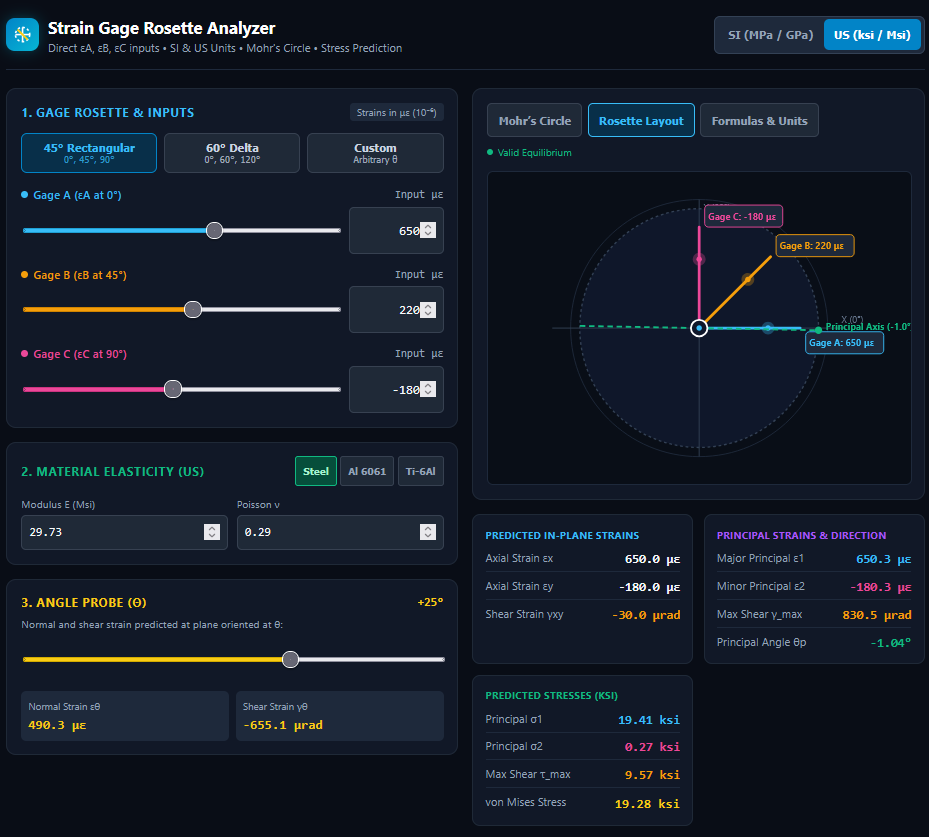
Create interactive apps — visual UI documents, Custom React sandboxes, live Calc models — and publish with one click. Your post is immediately shareable with a cover, tags, and a project, and embeddable in other posts.
Modernize Legacy
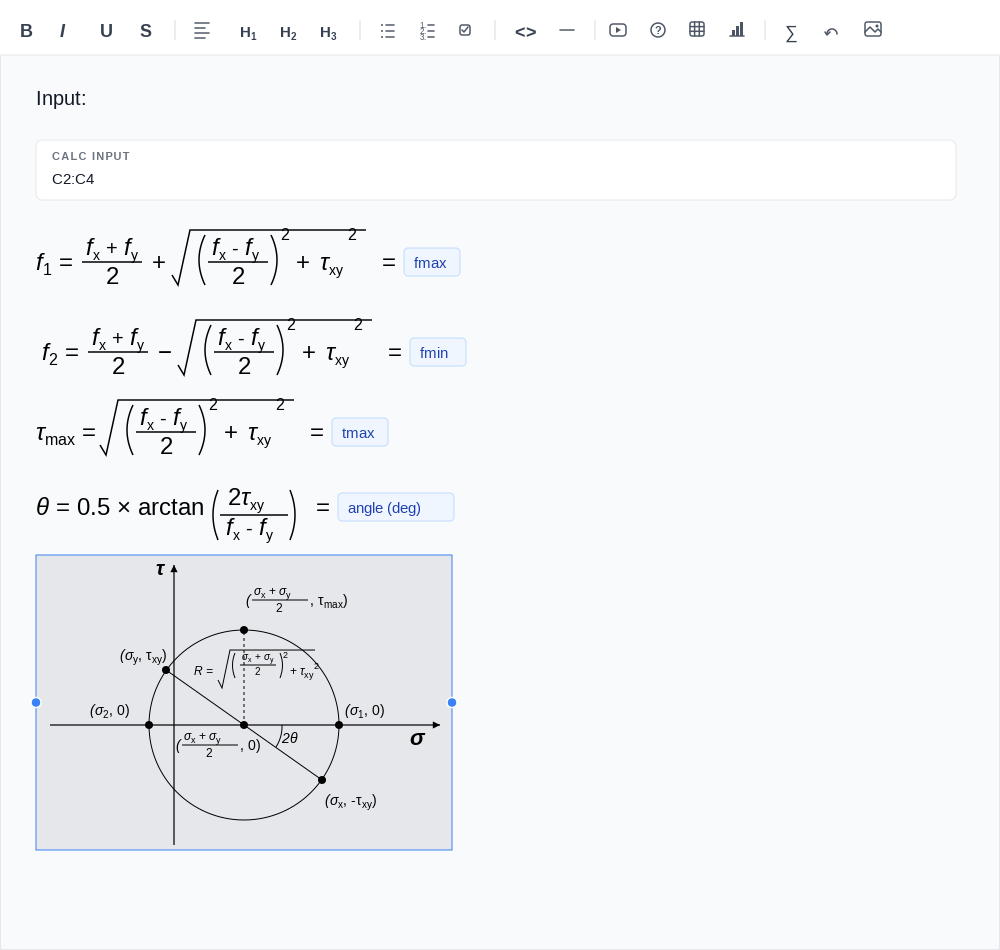
Give legacy Excel spreadsheets a UI and learning documents
Import your existing Excel spreadsheets with formulas intact, wrap them in a friendly visual UI, and attach the learning documents that explain them. Decades of spreadsheet knowledge become modern, interactive apps.
Prompt Editor
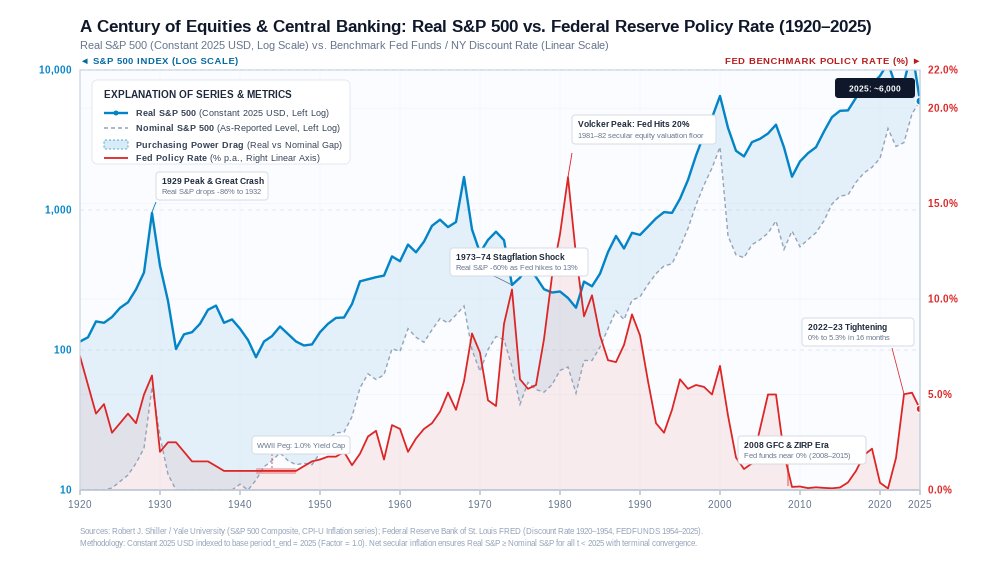
Write AI prompts and share them as posts
Create reusable system and object-specific AI prompts in the prompt editor, then publish them as public posts others can discover and reuse.
Review & Validate
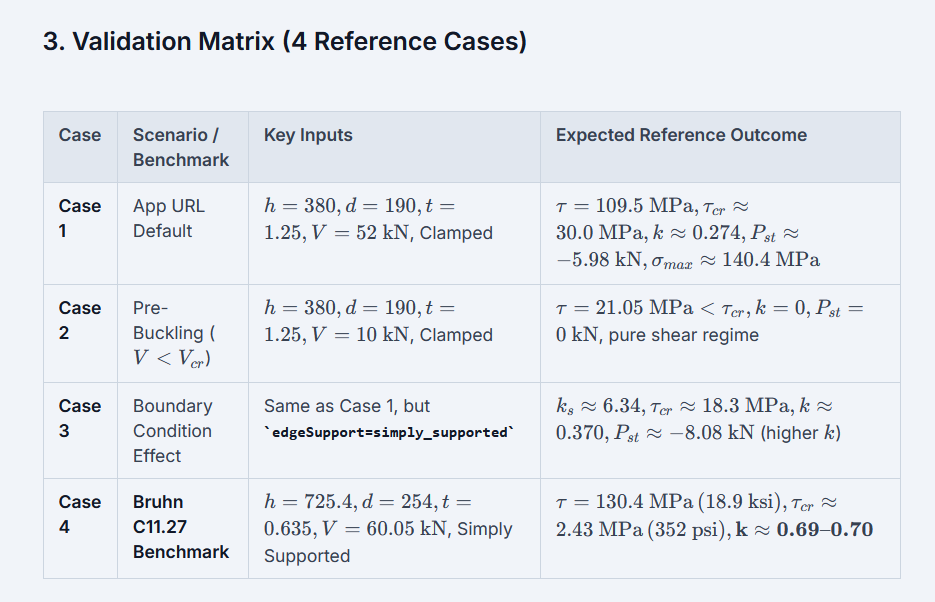
Validate created apps against references and learning documents
Write Review posts that check an app against textbook references and known examples. Documented reference cases build trust: validated apps earn a ribbon badge and rank higher in every list.
Batteries Included
All utilities, built in
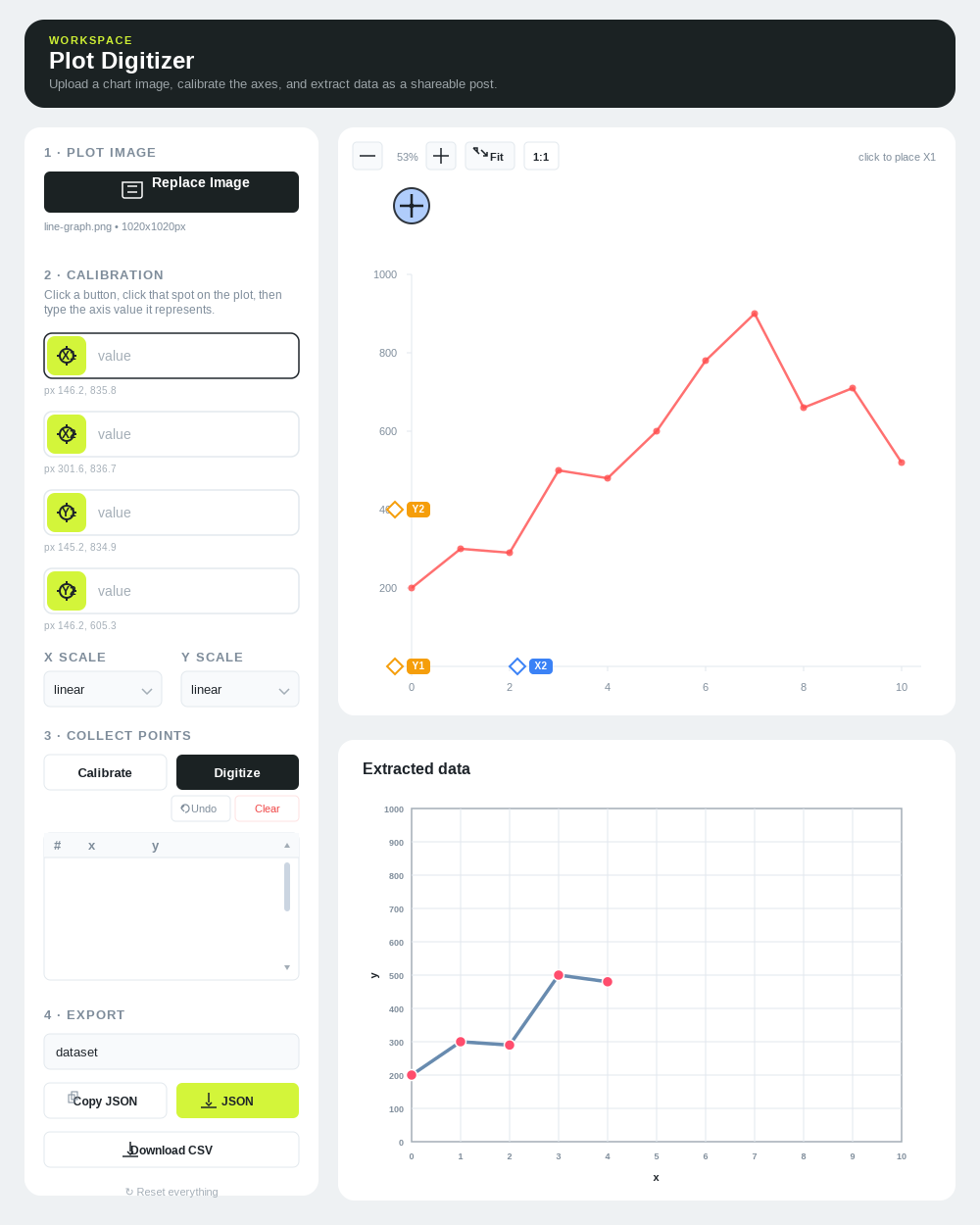
Calc spreadsheets, visual UI, Custom sandboxes, Draw diagrams, Graphs, CAD and FEM analysis, digitizer, data parsing, quizzes and surveys, prompt templates, projects, and review validation — one platform covers the entire journey from legacy data to validated production tools.
Scale to Production
Integrate with Jupyter for real analysis and design
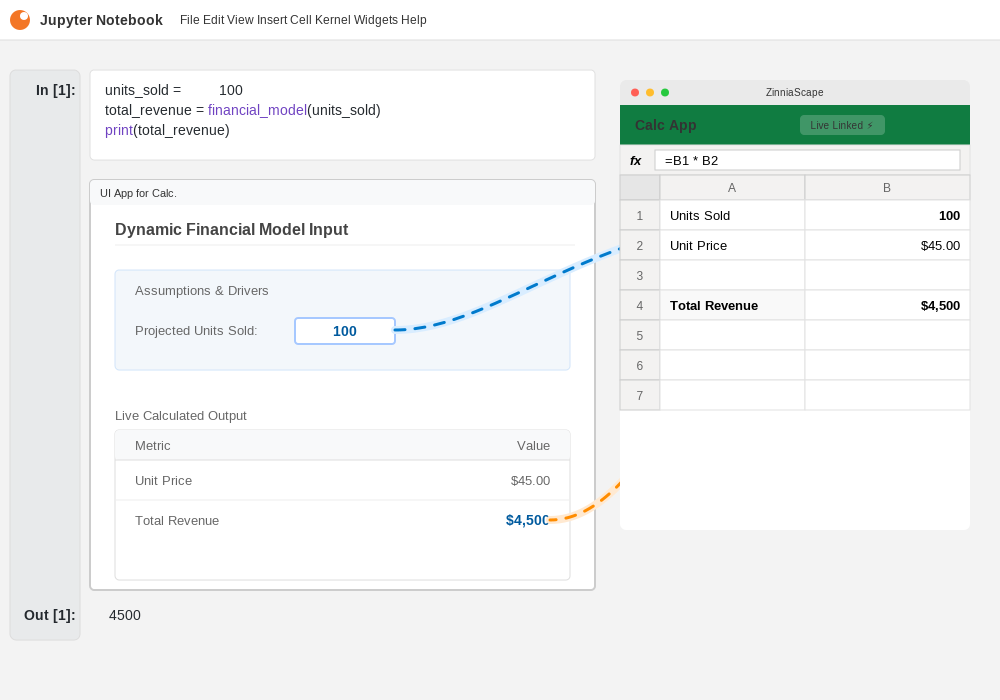
Every app has a Python API through the zinniascape module. Copy the snippet, run the app from a Jupyter or Colab notebook, pass inputs, and read outputs back — scaling a shared app into production-grade analysis and design pipelines.
Drag & Drop
Bring apps into your notebook
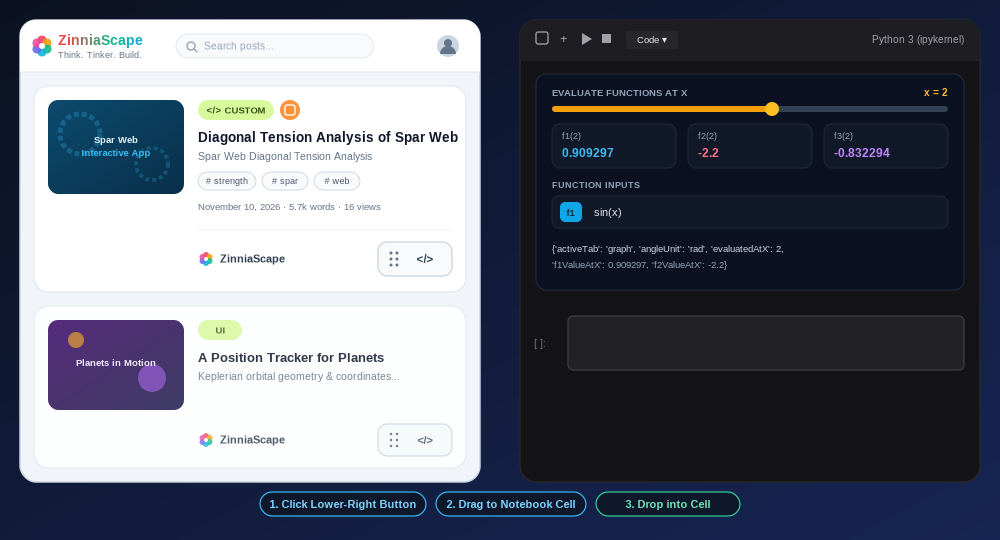
Bring ideas straight from your screen into your notebook. Drag a Calc, Custom, or UI post into a Jupyter cell to insert its Python starter API code.
All the utilities, included
An integrated suite covering the whole journey — from legacy data to validated, production-scale apps.
- Calc Spreadsheet Engine
- Turn legacy Excel spreadsheets into live, computable models with formulas intact.
- Visual UI Builder
- Wrap calculations and apps in friendly UI documents — no frontend code required.
- Custom App
- Write or generate single-file React apps that run in a secure sandbox with URL inputs and reported outputs.
- Draw Diagrams
- Interactive engineering diagrams driven by equations and linked Calc inputs.
- Graphs & Charts
- Declarative Vega-Lite charts bound to live parameters.
- CAD & FEM Analysis
- Cross-sections, frame solving, and fastener joints with linkable parameters and outputs.
- Document Digitizer
- Digitize physical documents and legacy formats into searchable, computable data.
- Legacy Data Parsing
- Structure unstructured legacy data with regular expressions and mapping tools.
- Quizzes & Surveys
- Anonymous surveys and quizzes embedded right in your documents.
- Prompt Templates
- Reusable system and object-specific AI prompts shared as public documents.
- Review & Validation
- Review posts validate apps against reference cases — validated apps earn a badge and rank higher.
- Projects & Sharing
- Organize posts into projects, invite subscribers, and share instantly with a link.
Prompt
Nastran Preprocessor AI Prompt
Prompt
11/02/2026
Loading...
14
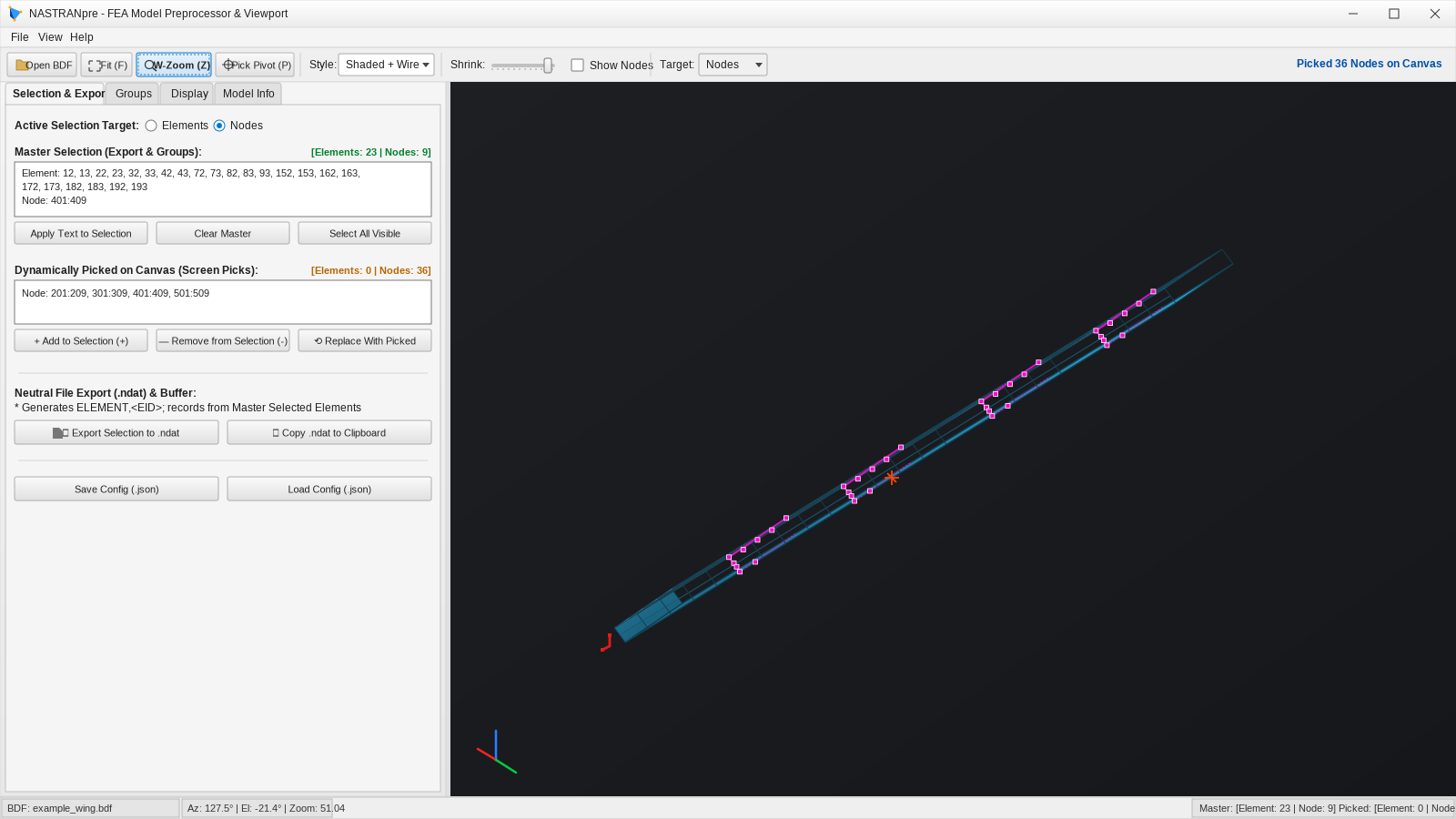
This document provides a breakdown of the System Prompt, the Objective-Specific Prompt, and the functional modules of the NASTRANpre finite element model (FEM) desktop pre-processor.

You've reached the end